Matter is a standard for smart home devices where Matter devices work with other Matter devices, no matter who made them. This is unlike most other smart home systems, where you need to buy all your devices from the same vendor for them to work together.
There are good reasons why you would like you move your smart home products to Matter:
- They are easy to buy for customers who already have other Matter devices at home
- Customers don't need to worry about lock-in effects
- The devices work with existing Matter hubs, so customers won't need to buy two devices at the same time
But adding Matter support to your device requires you to rework large parts of your product: new firmware for the chip inside the product, a reworked app and cloud, sometimes a new hardware chip. All in all, it usually amounts to a complete rework, of a product that already works.
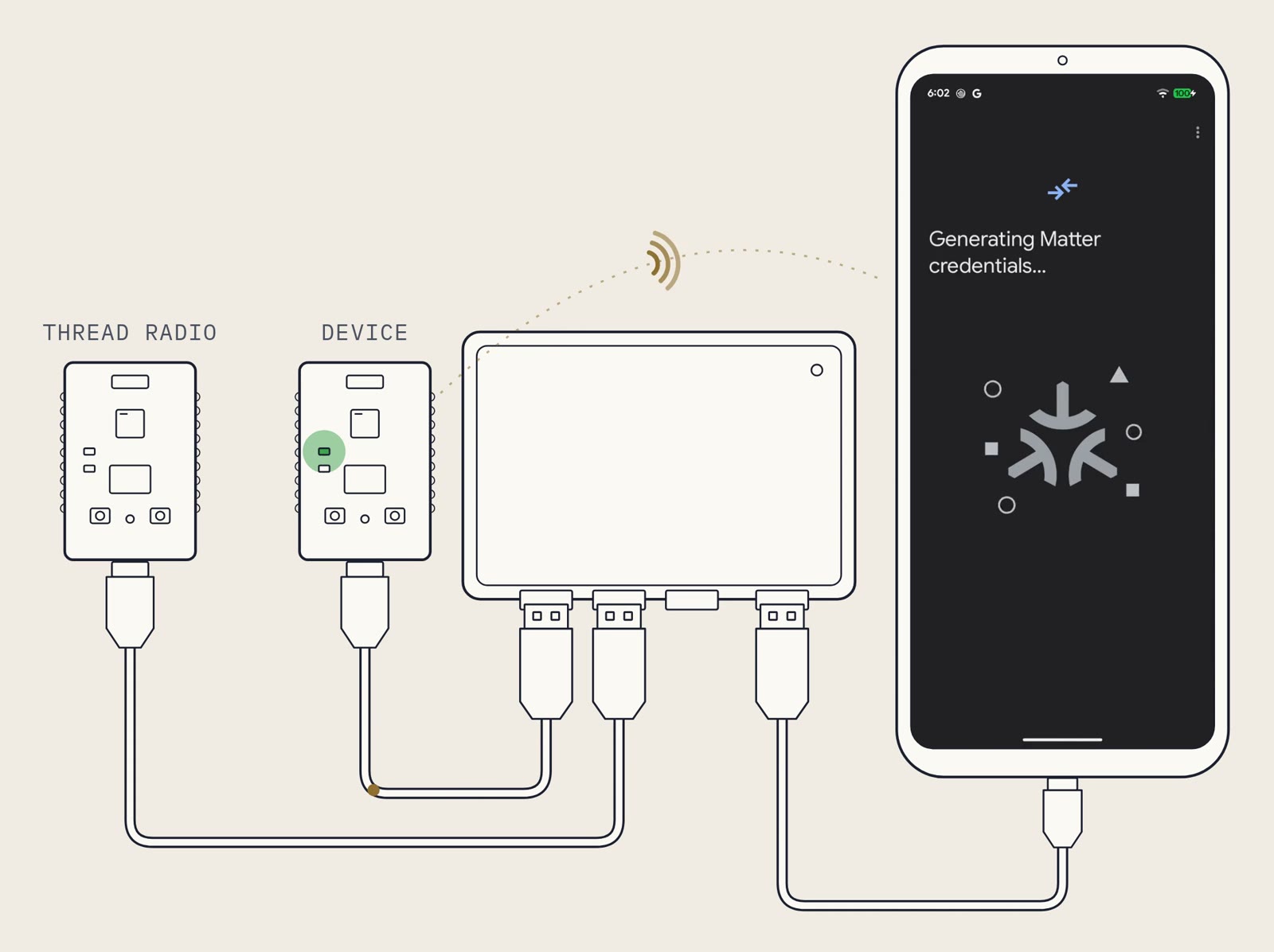
Here is where Grundrun comes in: Groundrun allows you to use AI agents to speed up this journey from months to weeks, by demonstrating that the end result works, and keeps working. The team connects the existing product to a Groundrun rig, maps out the existing flows, then connects the new hardware to another rig, and the new system gets tested in the same way a customer would. On every change.
Reimplementing a Connected Product on Matter
Let's say you have an existing product in the market, such as a smart lock that is controlled via Bluetooth, adding Matter to it should be seen as a reimplementation. You probaly will need to rework a large portion of it to be able to run Matter. You may even need to switch hardware, in case your existing microcontroller platform does not offer Matter support, or in case the memory requirements are too large.
So you need to be prepared for a significant undtertaking.
A Chip That Can Run Matter
Matter uses Bluetooth Low Energy for setup and Thread or Wi-Fi for the network, so this is the basic requirement for any Matter chip. The chip also needs room for the Matter code: Nordic's Matter light bulb example uses 627 kB of flash and 169 kB of RAM on the nRF52840. And on top of that, it needs to have room for your application code.
There are a whole list of chips that support Matter on the Matter web site.
New Firmware on the Matter SDK
Once you have picked a chip, it needs to actually run the Matter firmware.
The Matter firmware is built on the Matter SDK, open source C++ code from the Connectivity Standards Alliance (CSA). The SDK provides all the necessary code for building a Matter product both for Thread and for Wi-Fi and provides a large range of example files for specific types of products, such as locks or sensors. The Matter SDK also provides the code for interacting with a Matter device, such as the chip-tool Linux program.
On top of the Matter SDK, the team needs to add your application-layer code: the code that actually defines what the product should do. And the code that talks to your cloud.
The Matter SDK is a complex piece of software: it consists of more than 11,000 files of C and C++ code and more than 1,300 files of Python.
In Matter, each device has a device type, such as a door lock or a light. The code that implements these device types are fully contained in the Matter SDK. A device type is made up of clusters, the standard descriptions of what the device can do: lock and unlock, report the battery level. The team maps each feature of the product onto these clusters. Features outside the clusters stay in your own app.
A New Way to Set Up Your Device
In Matter, procedure of setting up a device is called commissioning. Commissioning can be done from your app or from any other Matter app. The app adds the new device to the home's Matter network. Once added, thedevice can be controlled either your app, or by other's Matter-compatible apps.
Certifying the Product
A Matter product must be certified, and certification is available to CSA members, for a fee. Certification testing is done by an authorized test lab, which quotes its own fees.
In production, every device get its own Device Attestation Certificate, which identifies it as a certified product, as well as its own setup code.
Why You Want Groundrun
With Groundrun, you will have confidence that the Matter version of your product works as good as the existing version, both during the reimplementation of the product, and as the product reaches the field. You get:
- Every feature of the product, tested and found working
- Every user flow, such as logging into the app and controlling devices remotely, always tested and kept working
- Running on hardware, tested on hardware
This allows the team to use AI coding agents to speed up the work, while knowing that everything works, and keeps working.
The hardware is plugged into a Groundrun runner together with a phone. On this rig, the Groundrun system flashes your firmware onto the hardware, installs the app on the phone, then automatically runs every flow your users will take through your system, to make sure everything works. Your team's coding agents have access to this rig directly in their loop, so that they can validate their work as they run, on real hardware and on every change.
To start out, you would like to map the existing product, so that the same features can be implemented on the Matter version of the product.
Mapping the Product's Flows onto Matter
Customers will expect that the Matter version does the same as the existing product. So the first step is to write down what the existing product does.
Here is where AI coding agents help: coding agents can automate this process, with the assistance of the team.
- 1Put today's product on a rig. Its current board and a phone with today's app plug into the rig, with your test cloud in the run.
- 2Validate its flows. The team writes down the flows owners use today, on its own or with help from AI coding agents.
- 3Map each flow onto Matter. Each flow from the existing product should be mapped over to the Matter product, and then there will be a set of new Matter-specific flows added to the mix as well.
- 4Validate the Matter flows on Matter-compatible hardware. The first version typically use an set of off-the-shelf devboards, plugged into the rig. The next version can use custom hardware boards. In both cases, the Groundrun system flashes the boards, installs the app, and automatically runs every flow on the hardware to ensure they always work.
An Example: A Smart Lock
Let's use the example of a smart lock, where the existing product uses Bluetooth.
The owner of the lock can lock it from the app, either directly via Bluetooth or through the cloud. In the Matter version of the product, they can unlock it from a Matter controller in the home, which talks to the lock directly. These must all work.
The flow for this case has six steps:
- The user opens the app.
- The lock appears in the app.
- The user taps 'Unlock' in the app.
- The lock is unlocked. The lock, your app, and the cloud all aggree that it is unlocked.
- The user taps the `Lock` button in the app.
- The lock is locked. The lock, the app, and the cloud all report locked.
And before these steps even happen, the user would also have needed to commission the device.
With a Groundrun system, all of these steps are automated and run on real hardware and a real phone.
Here is what this might look like. In this case, we use the nRF Matter app, as a stand-in for a customer app, and show an automated commissioning process and an unlock / lock sequence.
How Does the Team Develop Matter Support with AI Coding Agents?
AI coding agents both speed up the process of implementing the new product on Matter and also help automating the entire process. Part by part: Matter support in the firmware, the commissioning screens in the app, and the cloud accepting the state the lock reports after a Matter unlock. The team works on each part with their AI coding agent, which runs the flow on the hardware on the rig, to ensure that everything works.
Even where the team writes much of the Matter code by hand, the agents take on the repetitive work: mapping each feature onto its clusters, passing each cluster's state through to the cloud, and running the commissioning flow over and over while the code changes.
When an agent makes a change, it runs the flow from Groundrun's command-line tool, and reads what the lock, the app, and the cloud each report. When the cloud still reports locked, the agent working on the cloud sees it, changes the cloud code, and runs the flow again.
The team decides how the product should behave: what the app should show when the door is unlocked from another controller, and how quickly. The agents build that behavior and run the flow to check it.
The team builds the system, with the help of AI coding agents, while Groundrun validates the whole product on your hardware as they work.
How to Ensure It Keeps Working
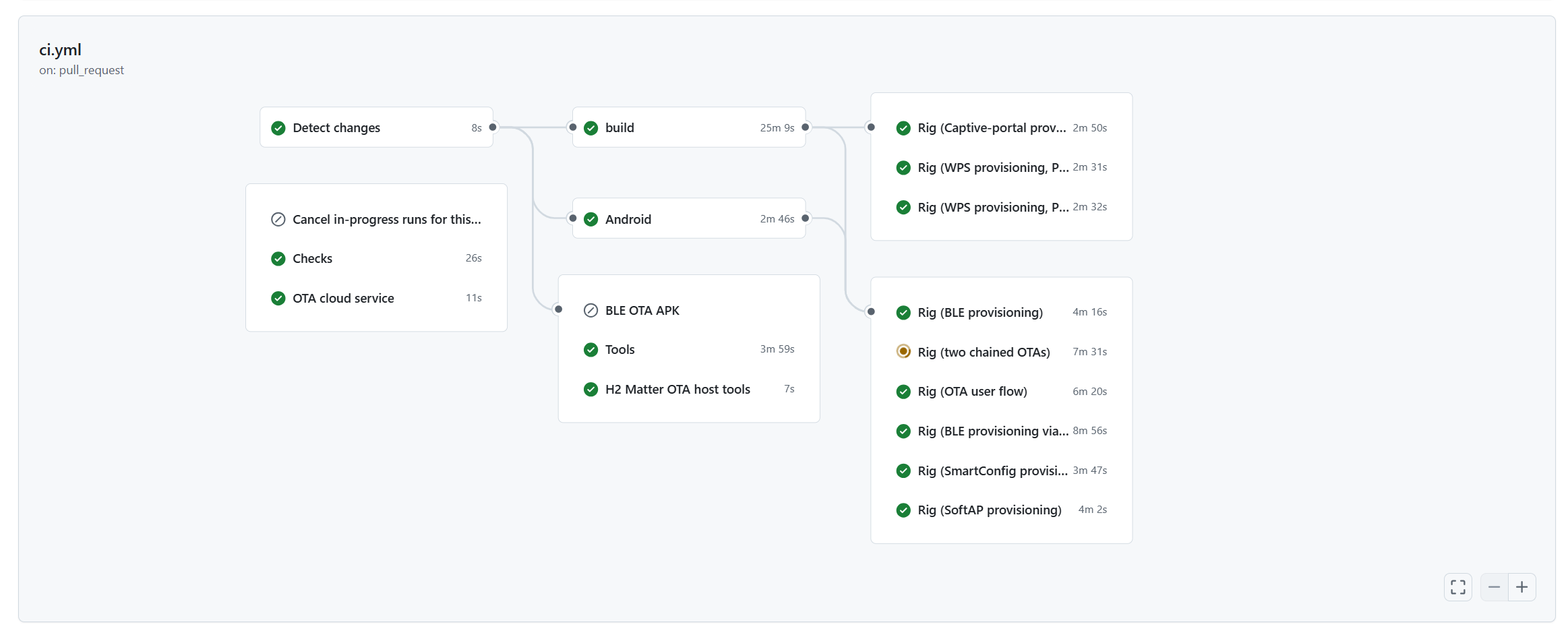
Development is only the first step: the product must keep working. The Groundrun system hooks into your existing Continuous Integration (CI) flows so that your product will prove itself on hardware, every nightly build.
Conclusions
Launching a product line on Matter means re-implementing a product that already works: a chip that can run Matter, new firmware on the Matter SDK, a new way to set up the device, and certification. Customers expect the Matter version to do everything the existing product does.
With the existing product's flows written down and running on a Groundrun rig, the team knows what the Matter version must do. With the Matter version on a rig of its own, the team sees that it does, on real hardware and a real phone, while the work is under way. When the team works with AI coding agents, the agents see it too, as they work.
And when the next product in the line moves to Matter, the team starts from the flows written for this one.