At Groundrun, we work a lot with Claude Code and hardware in the loop.
With hardware in the loop, we mean development boards for wireless embedded / connected products. Technologies and chips like Matter, Thread, Bluetooth Low Energy, Wi-Sun, Espressif ESP32, Silicon Labs EFR32, Nordic Semiconductor nRF, and others.
Working with Claude Code, we have seen it make its fair share of mistakes. We all know that AI coding agents can make mistakes, and that is ok. We all do, even us humans! The important part is that those mistakes don't go all the way into the finished product.
After seeing Claude make the same mistakes over and over again, we asked Claude to start write down every mistake every mistake it did so it could learn from them. A few months into this, we have collected a few hundreds of these incident notes. These are some of the trends:
- Claude gravitates towards blaming the hardware
- Claude often wants to change the hardware configuration to make tests pass
- If one layer works, Claude tends to think everything works
- Claude thinks that a wireless connection is 100% reliable
- Claude may develop a one-off device simulator, and tends to treat it as a perfect replica of the hardware
We caught these mistakes because we always run the entire thing (firmware, app, and cloud) with a pre-determined set of tests, outside of the agents' reach. Because the agents will make mistakes, having this guardrail has turned out to be essential.
All of these mistakes can be mitigated by setting up standing rules for the coding agents: essentially reminding them of their tendency to make those particular mistakes. It won't always work, but without these rules, Claude seems like it will tend to make the same mistakes mistakes over and over again.
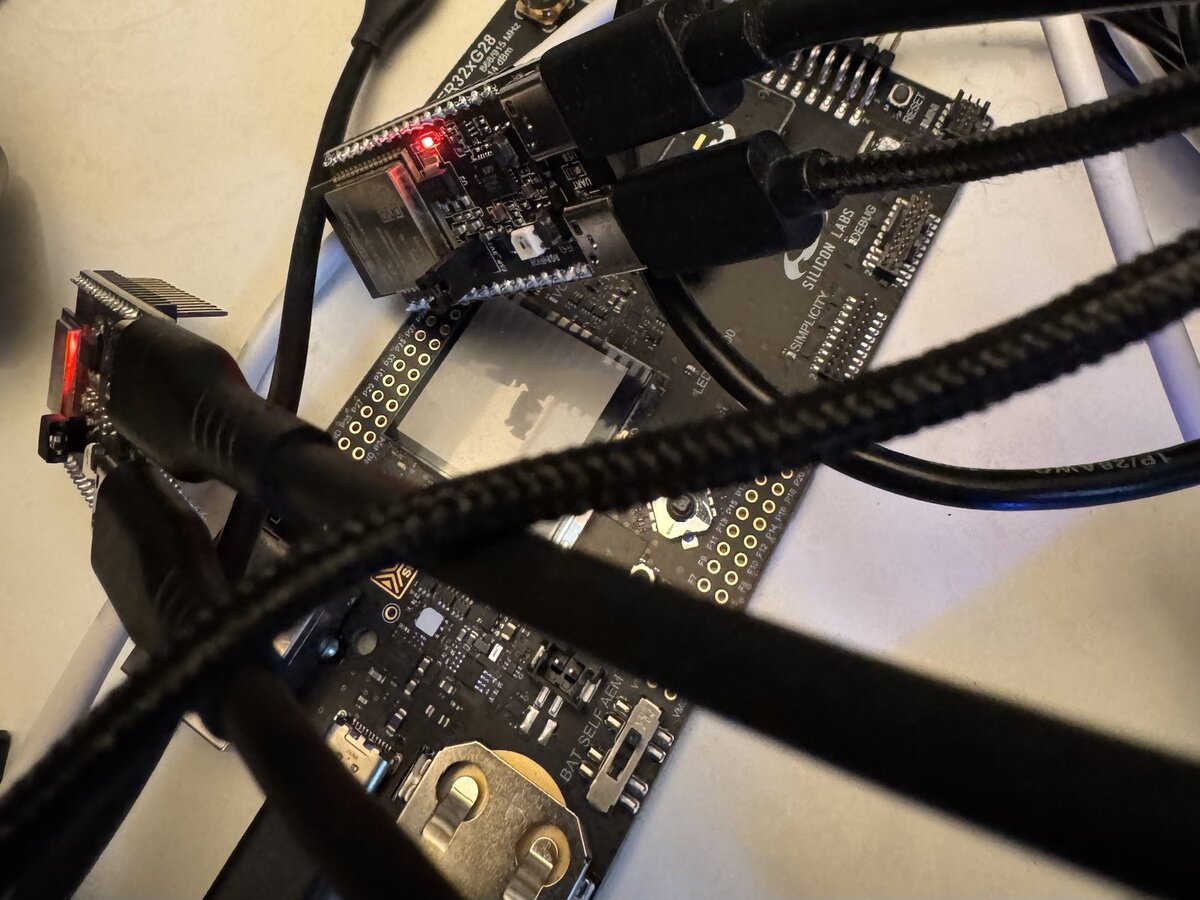
So this means that we absolutely need to validate our coding agent's work, on real hardware and the way our users will use our product. Of course, this was always true with humans writing the code, but agents are faster and so can also make mistakes faster. Also, they sound really confident, so we as humans may tend to believe what they tell us.
Claude Blames the Hardware
This happens a lot: the coding agent writes a piece of code, and that code looks right but does not seem to work when run on the hardware, Claude tends to blame the hardware. Or indeed any part of the system that was not part of the code that Claude wrote. It will end up saying that a USB port is probably glitchy, or that the radio chip does not work correctly, or that the vendor SDK is not fully functional.
A strongly worded letter. At one point, in an over night session, Claude even went so far as to having drafted a letter to the hardware vendor explaining what it thought were hardware defects. These "hardware defects" later turned out to be configuration mistakes made by Claude.
Blame the hardware, add retries to the test. In a project with a border router board, which had initially failed 83% - 91% of all test runs, Claude concluded that the radio board was physically flaky and wanted to add a retry mechanism to the test to circumvent the flakiness. The root cause turned out to be that the serial link had been mistakenly configured to use hardware flow control, without having enabled hardware flow control on the USB adapter. Once that was switched on, there were no more failures.
The standing rule for agents is now: when something looks like a hardware fault or a vendor defect, treat it as a bug on our side that the hardware happened to expose.
Claude Wants to Change the Device to Make Tests Pass
When a test can't run, Claude's instinct is to make it run in the quickest way possible, often by wanting to reconfigure the hardware to suit the test. And sometimes it gravitates towards wanting to update the end-user app.
Slow down the serial link. In one project, a hardware board was connected over a serial line to a Groundrun runner. The serial line was connected to a Python script that sent and received test packets back and forth. The serial line should be running at 460800 bps, but Claude's first version of the Python script was not fast enough to keep up. So Claude's immediate instinct was to reconfigure the hardware to a slower 115200 bps, which would make its initial tests go green. But that serial link needed to be faster, so it would fail in the next stage, at which point Claude needed to solve it in the right way: rewrite its Python scripts to use a faster mechanism.
Remove a security layer. An app that was communicating with a Bluetooth sensor needed to be paired to its Bluetooth device. This would have required some additional app automation from Claude, to drive a tap to the right pairing button on the phone. But Claude, who in this case had access to both app and the Bluetooth firmware code, chose to turn off pairing security on the Bluetooth connection by modifying the firmware. While this made its test intially work, it is obviously not the correct way to solve this. It was quickly caught by other tests, and Claude would then add the correct tap in the app instead.
These are serious problems that highlight the need for full product testing, outside of the agents' own coding loop.
Claude Treats the Radio as a Reliable Pipe
This is a tricky one, even for us humans: in lab conditions, most radios work 100% reliably. They never lose a single packet. But when deployed in the field, and the devices get a more more distance between them, the radio links no longer are perfect.
Claude tends to treat radio links as perfect links, maybe because it is trained on other types of network connections, that tend to be more reliable.
Ten clean runs, yet didn't actually work. In a recent post, agents improved a Bluetooth firmware update from eight minutes to 22 seconds. Fantastic! All ten test runs passed. But those test runs were done in lab conditions, so had a perfect radio link. But when the final tests used a lossier link, the app no longer worked. Once Claude was made aware of this, it was able to rework the mechanism, but it had gravitated into a bad condition if it had been given free reins.
If One Layer Works, Claude Thinks All Layers Work
A connected product is built in layers: the chip, the bootloader, the firmware, the radio stack, the network, and the app on the phone. Each layer can look healthy while something else is broken. Claude tends to take the first sign of life as proof that the whole stack works.
This is an easy mistake to make, even for humans.
Connected, but alone. A board was supposed to join an existing Thread network. The firmware printed that it was connected, three runs out of three. This was the printout the test waited for, so it passed. But the board had never joined the network. It had failed to find it, given up, and formed a new network of its own, with itself as the only member. The reason was that the app had failed to provide network credentials, which Claude eventually was able to figure out, but needed manual intervention to do so, because it was content with that the board had joined a network.
The vendor's example instead of our firmware. A Matter firmware build compiled, flashed, booted, showed its setup QR code and advertised itself over Bluetooth. Everything looked normal. But a copy step in the build had silently kept the vendor's generated files instead of the actual code, so the board was running the chip vendor's stock example.
These types of failure modes are caught by running end-to-end tests. When the user taps the button in the app, does the light actually turn on? If not, investigate further.
Claude May Write a Device Simulator, and Tends to Treat It as a Perfect Replica of the Hardware
Simulators are useful. They're much faster than hardware and we can run many of them in parallel. But a simulator is a simplified model of the hardware, and sometimes the simplifications hide the actual bugs. When Claude has a simulator, it tends to trust it as if it were running actual hardware. Even if Claude itself wrote the simulator.
One write in flight. In the Bluetooth firmware update post, Claude figured out that it should wrote a one-off simlator for the Bluetooth link so that it could iterate quickly. But the simulator did not replicate the number of packets the actual Bluetooth stack would have in flight, so the app ended up not fixing the actual problem.
A simulator is still a good tool for fast iterations, but results should be checked on actual hardware as soon as possible. Then Claude can correct itself quickly.
How to Deal with the Mistakes
So we know that Claude makes mistakes, but what should we do with this knowledge?
First, we need to ensure that everything is tested, independantly of our coding agents. Those tests need to be out of reach of the agents, so they can't change the tests and they can't fake their work to make the tests go green.
Second, we can help Claude do the right thing, by letting it know what mistakes it tends to do. The easiest way to get started with this is simply to tell it to keep a list of common mistakes and think about those as it works. For more complex projects, we can maintain a database where Claude can consult as it works.
But the insight here is not that Claude makes mistakes. Of course it does. So do us humans. The insight is that we need to hold the code accountable: it must prove itself on actual hardware.