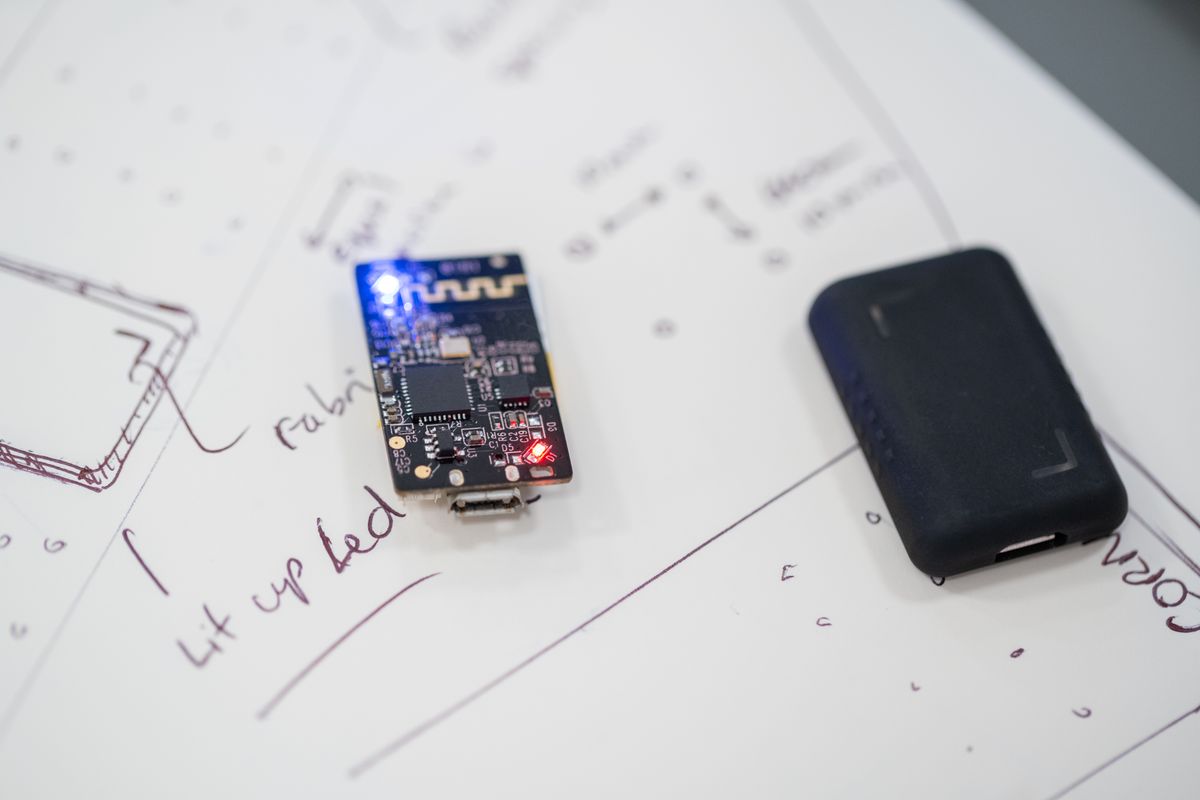
The first thing a customer does with a new Wi-Fi-enabled connected product is complete the Wi-Fi setup, so it has to be reliable and work every time, no matter what else changes in the product.
This is something we can do with the Groundrun system. Let's set it up.
Setting It Up
First we need to get the hardware in the loop, the same way we did for testing an over-the-air (OTA) update on the ESP32. We used an ESP32-C6 devboard from Espressif for this test. With Groundrun, getting it into the loop is easy: we just do this:
- Connect the ESP32-C6 board via USB to the Groundrun rig.
- Connect an Android phone via USB to the same Groundrun rig.
And that's it.
Wi-Fi Commissioning
There are several ways to set up a Wi-Fi network on a connected device, and the ESP32 family supports a range of them:
- Bluetooth. The phone pairs with the board over Bluetooth Low Energy and sends it the network name and password directly.
- Soft AP. The board starts its own temporary Wi-Fi network, and the phone joins it to send the real credentials before the board switches onto the real network.
- Wi-Fi captive portal. The same Soft AP network, but the phone gets redirected straight to a web page for entering the credentials, the way a hotel or an airport Wi-Fi login page works. No app required.
- SmartConfig. Espressif's own technique, running on the ESP32 as ESPTouch v2 and built into their ESP-IDF SDK. The phone stays connected to the home network and broadcasts the credentials as a stream of encoded packets; the board, not yet on any network, picks them up by listening in promiscuous mode.
- WPS (Wi-Fi Protected Setup). The Wi-Fi Alliance's industry standard. Pressing the button on the router lets the board join on its own, negotiating the credentials directly with the router.
Our goal here is to test them all.
The phone stays connected to the home network and broadcasts the credentials as a stream of encoded packets; the board, not yet on any network, picks them up by listening in promiscuous mode.
The Smartphone App
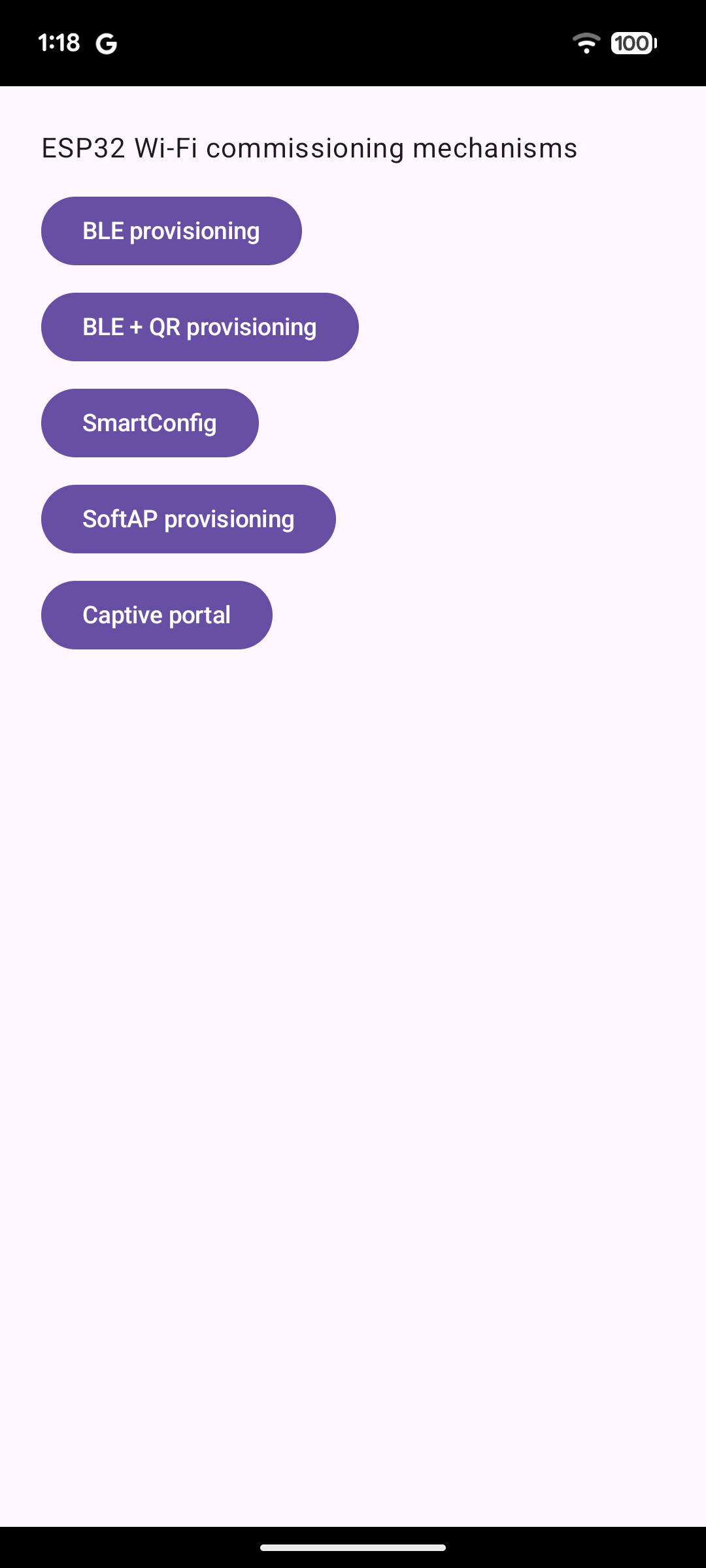
In the typical case, you already have a smartphone app. In our case, we needed something simple, just to demonstrate how to connect the Wi-Fi, so we asked Claude to develop a quick app. It needs to send the right bytes at the right moment for each of the five methods, and nothing more. The app doesn't need to look good, and it doesn't.
The app doesn't need to look good, and it doesn't.
The Firmware
For an existing connected product, the firmware is already written. In this case, we need to follow the best practices for getting AI development tools to understand it (see how to start using AI coding agents in connected product development).
We asked Claude to develop the firmware code for us. The Groundrun system helps here, by providing the skills for working with ESP32 firmware, and we ended up with code files that implement each of the Wi-Fi setup mechanisms above.
Because Claude Code has access to the rig and its hardware, it does this work independently. We give it the plan, the goal, and the stopping condition, so it knows what to aim for and when to stop.
The resulting firmware code looks like this (this is the WPS mechanism):
void app_main(void)
{
    ESP_ERROR_CHECK(nvs_flash_init());
    ESP_ERROR_CHECK(esp_netif_init());
    ESP_ERROR_CHECK(esp_event_loop_create_default());
    esp_netif_t *sta_netif = esp_netif_create_default_wifi_sta();
    assert(sta_netif);

    wifi_init_config_t cfg = WIFI_INIT_CONFIG_DEFAULT();
    ESP_ERROR_CHECK(esp_wifi_init(&cfg));

    ESP_ERROR_CHECK(esp_event_handler_register(WIFI_EVENT, ESP_EVENT_ANY_ID, &wifi_event_handler, NULL));
    ESP_ERROR_CHECK(esp_event_handler_register(IP_EVENT, IP_EVENT_STA_GOT_IP, &got_ip_event_handler, NULL));

    ESP_ERROR_CHECK(esp_wifi_set_mode(WIFI_MODE_STA));

    /* Read any Wi-Fi credentials esp_wifi's own config store already holds
     * (WIFI_STORAGE_FLASH, the default -- backed by NVS) BEFORE starting
     * the driver. A freshly mass-erased board has none; a board that
     * already completed WPS once and rebooted does. */
    wifi_config_t stored_config;
    memset(&stored_config, 0, sizeof(stored_config));
    esp_err_t get_config_err = esp_wifi_get_config(WIFI_IF_STA, &stored_config);
    bool has_stored_creds = (get_config_err == ESP_OK) && (stored_config.sta.ssid[0] != '\0');

    ESP_ERROR_CHECK(esp_wifi_start());

    if (has_stored_creds) {
        esp_wifi_connect();
    } else {
        start_wps();
    }
}
Setting Up the User Flows
The user flows here are simple: the user opens the app, enters the Wi-Fi password, and the ESP32 joins the network. The specifics differ by method, so each of the five gets its own path to get there, written out step by step in Groundrun's flow builder.
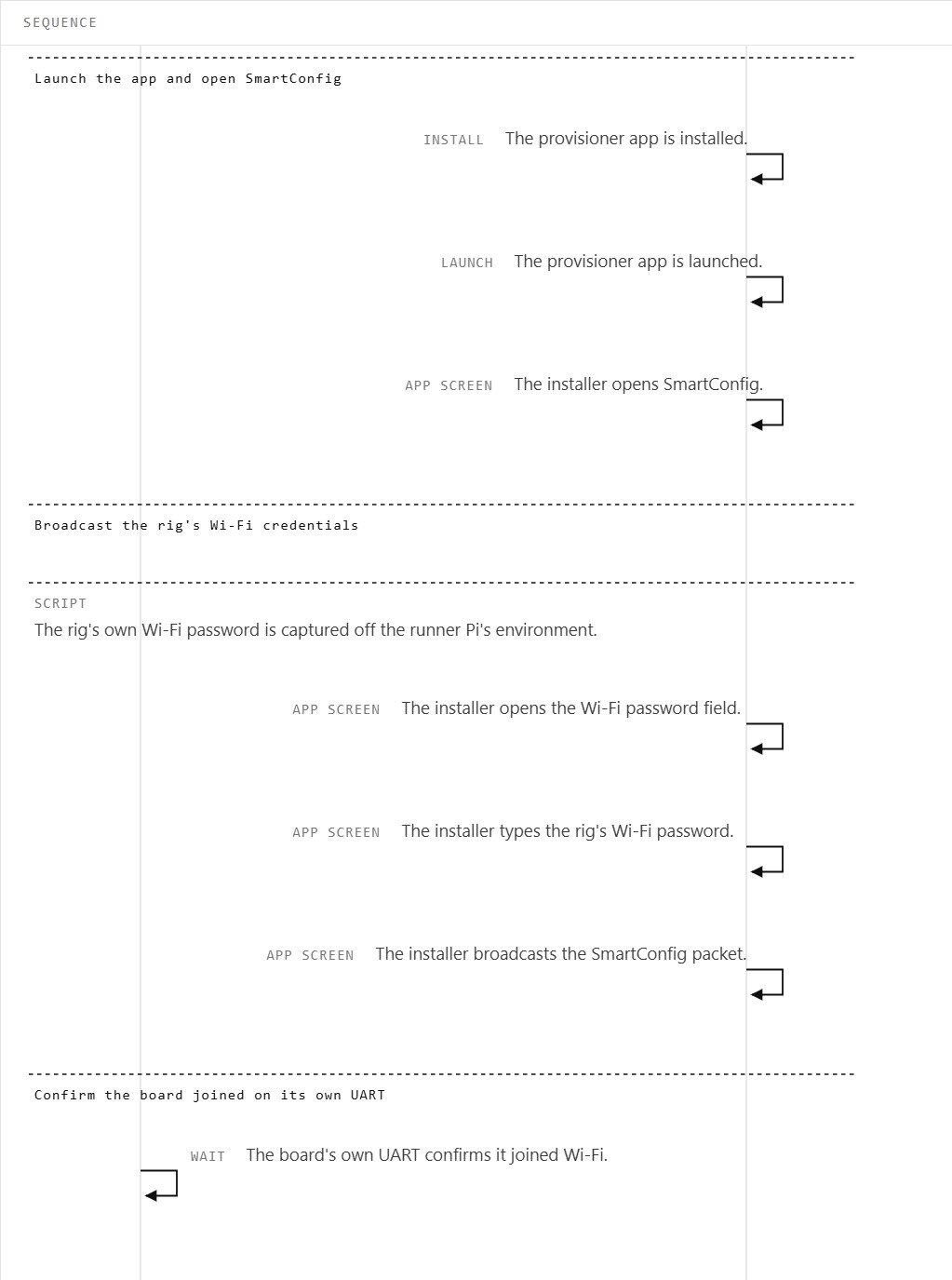
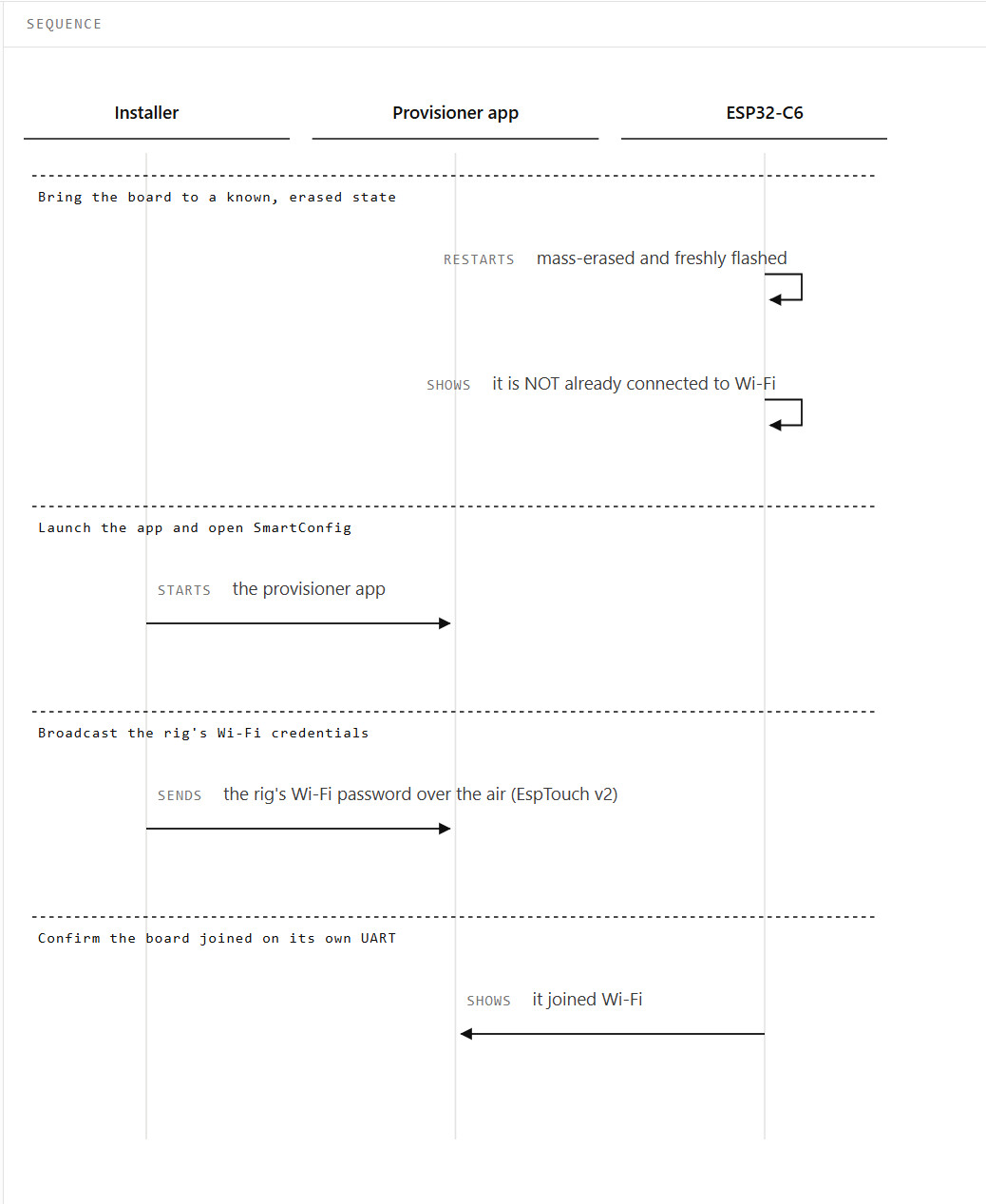
Claude did the mapping, with the Groundrun skill set, and each flow is something Claude Code can run again on its own.
Running the Tests
Now everything is up and running, so we can run the Wi-Fi setup flows, both interactively in the Groundrun coordinator and as a Continuous Integration (CI) regression test run.
We run the regression tests on every change: whatever we change in the system, this part has to stay solid.
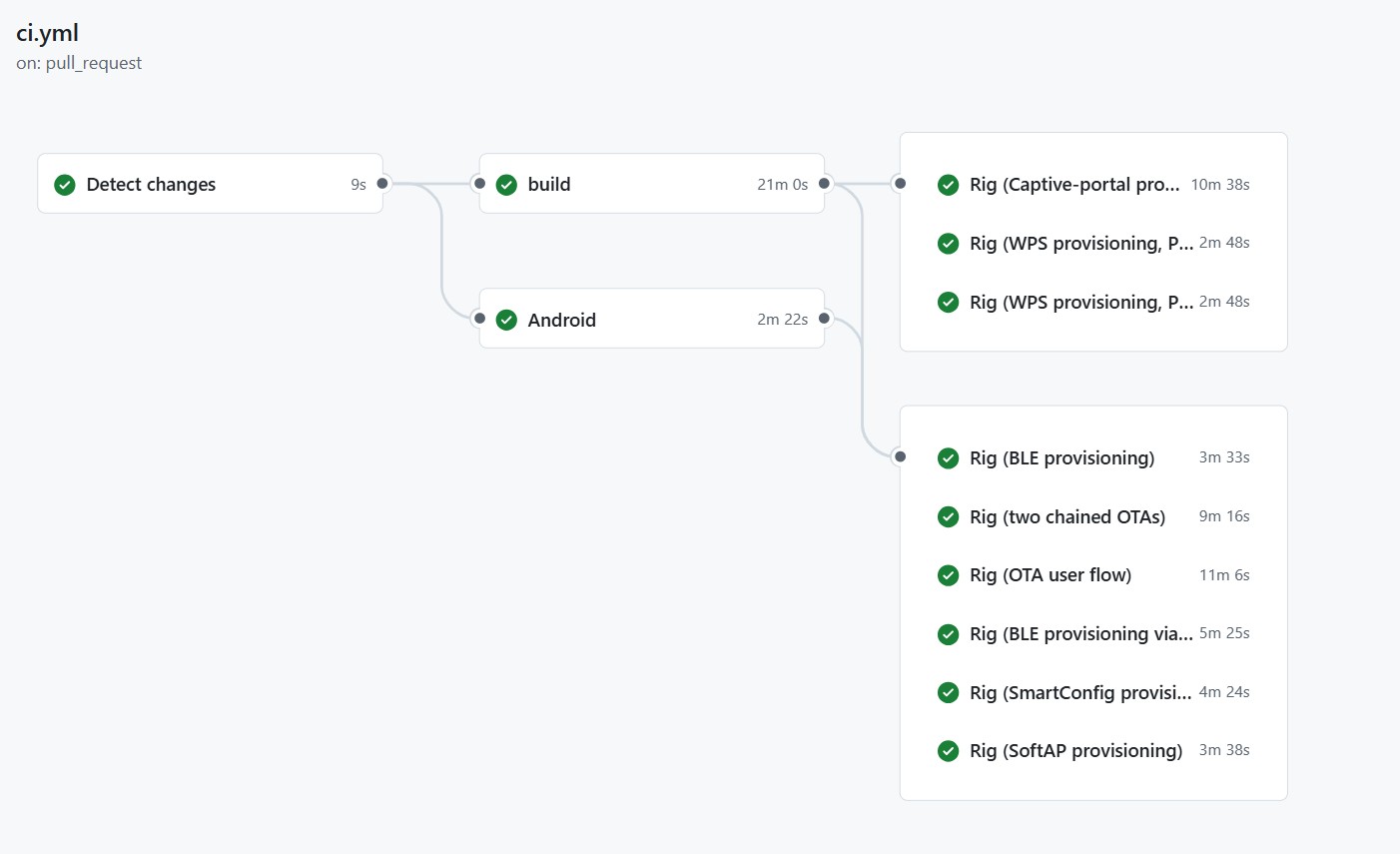
These regression runs also contain the over-the-air update tests we discuss in breaking an OTA update on the ESP32 on purpose. We have also had AI coding agents implement and time six ways to update a Matter device on the ESP32-H2.
Timing
Every CI run is timed automatically, and the coordinator records each step separately, so we can break that time down by what it was spent on: flashing the firmware, installing and launching the app, running the mechanism itself, and waiting for the board to confirm it joined.
The graph shows that flash and boot cost about the same everywhere, 22 to 24 seconds, except for SmartConfig, which also flashes a second board we use to watch for its broadcast, pushing that phase to 37 seconds. Past that, the mechanism segment varies a lot from method to method, so it's worth comparing on its own.
Isolated this way, Soft AP's mechanism time is nearly thirteen times WPS's, which tracks with its system dialog and multi-screen flow. SmartConfig and WPS both stay under 15 seconds, well behind Bluetooth, Soft AP, and captive portal.
Quirks
Testing all five methods side by side turned up real differences between them.
Captive portal is the trickiest of the five. The sign-in page the phone shows stays open for only a few seconds, and the phone's own operating system alone decides exactly when to close it. The whole form has to get filled in and submitted inside that window, or the credentials never reach the board.
Bluetooth and Soft AP both trigger a system pop-up before the phone joins the board's network, and that pop-up can take several seconds to appear while the phone scans for the board. Our tests wait for it.
WPS needs no app at all. Once someone presses the button, the router and the board exchange credentials directly.
SmartConfig ran noticeably slower than the other four in our testing, and occasionally much slower than that, with the rare failure that had no single traceable cause.
Testing WPS also meant standing in as the router ourselves. Our rig brings up its own temporary Wi-Fi network, pinned to 2.4 GHz since the board's radio doesn't reach 5 GHz, then tears it down again after each run.
Conclusions
The first thing a user does with any Wi-Fi-enabled connected product is set up the Wi-Fi, so it has to be the most solid mechanism in the system.
The Groundrun system lets us set up user flows and automated testing for this mechanism, with hardware in the loop.
See how Groundrun runs hardware-in-the-loop scenarios on the platform overview.